How to Check Microsoft 365 Retention Settings for Compliance Archiving
Last updated: February 19, 2026
Open Microsoft Purview and Navigate to Data Lifecycle Management
In the Microsoft 365 Admin Center, select Compliance to launch Purview.
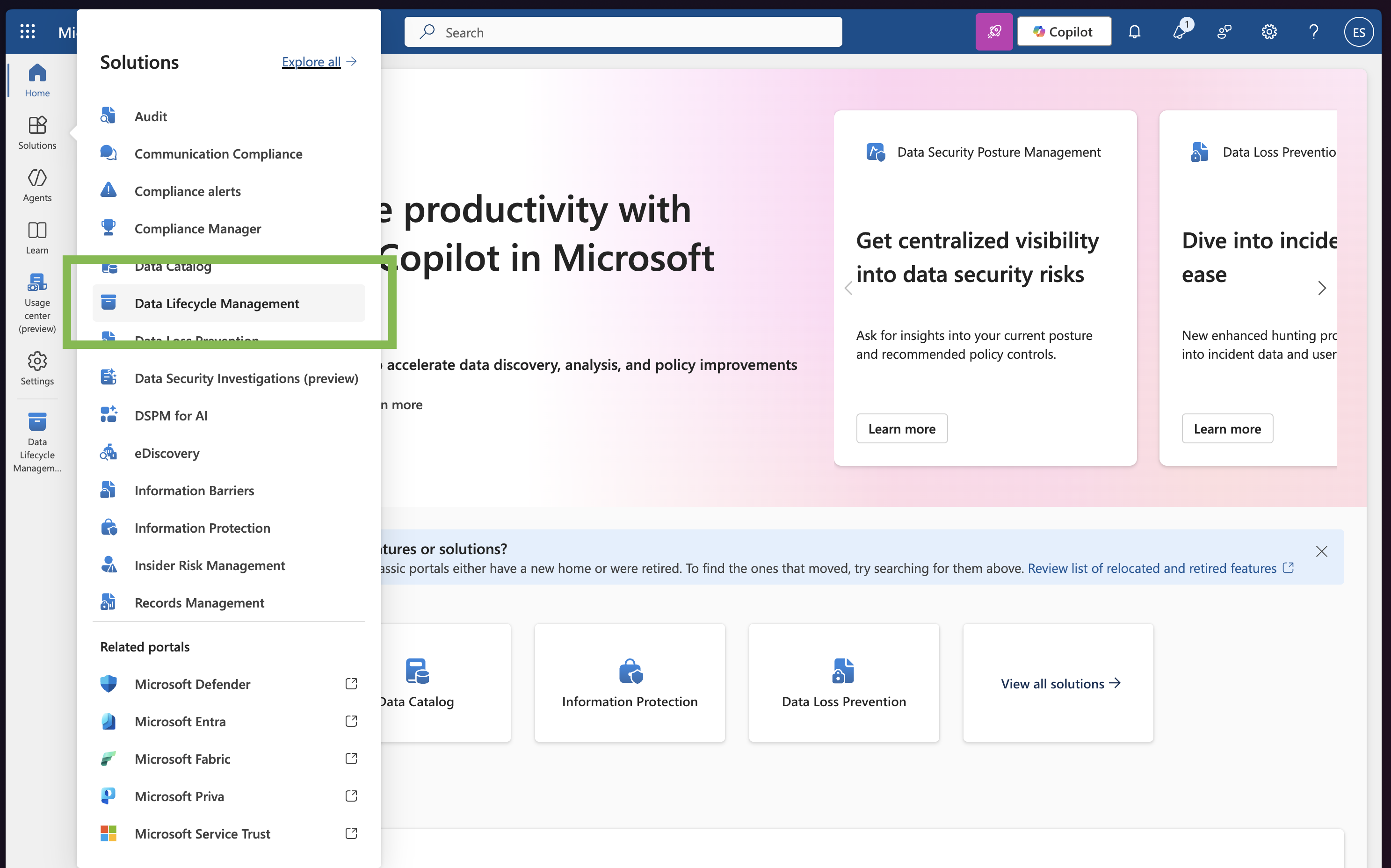
From the left menu, choose Data Lifecycle Management.
Select Policies, then Retention Policies.
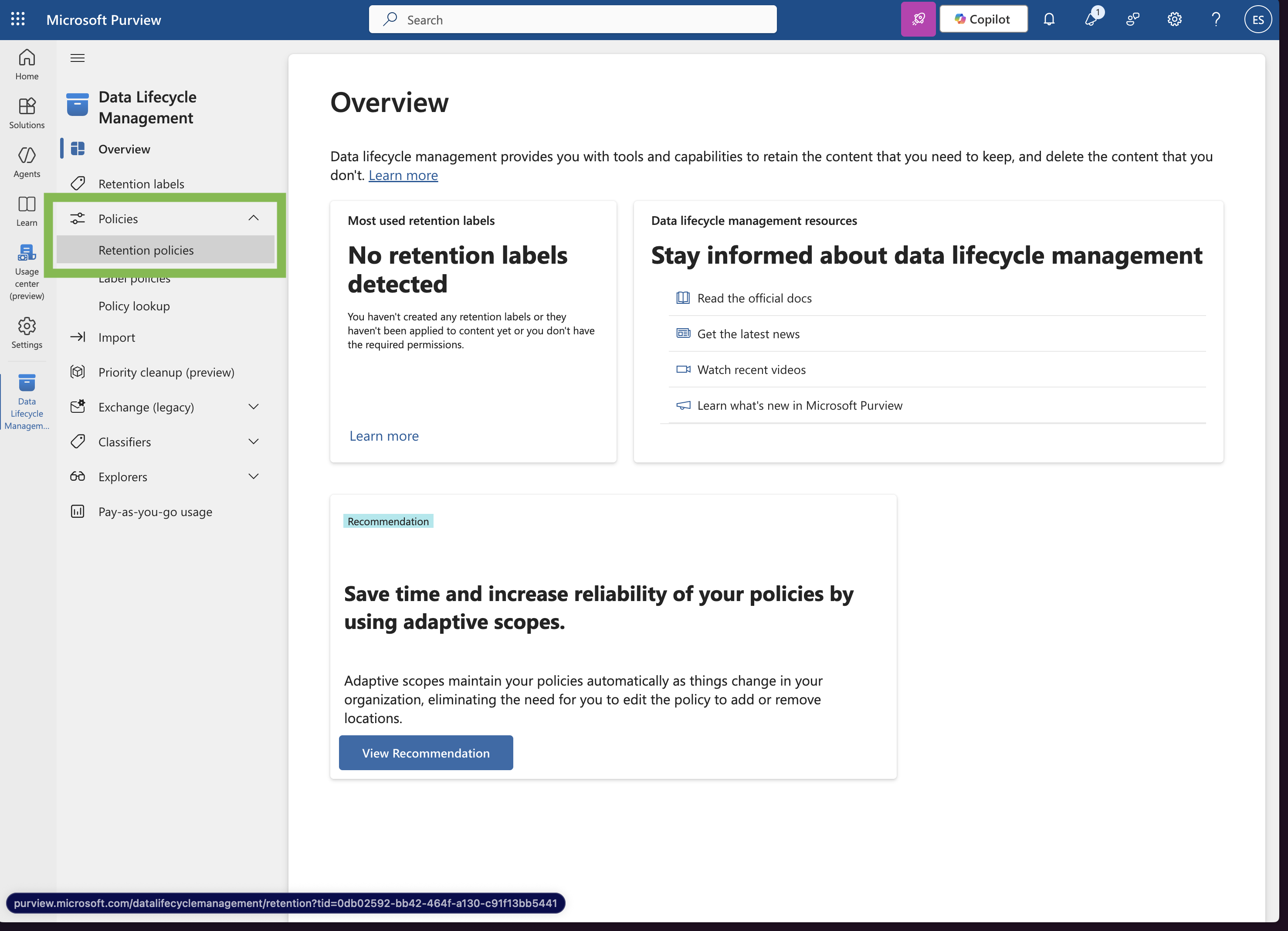
You’ll be able to see any existing retention policies and confirm what’s currently in place. Greenboard can typically access all retained data directly through the Microsoft Graph API if retention is already enabled.